Skip to content
More about Chaslay
Changelog
More about Chaslay
Changelog
Submit an idea
Submit an idea
More about Chaslay
Changelog
More about Chaslay
Changelog
Home
Docs
Faqs
Printer not printing automatically or not ringing on new orders
Printer not printing automatically or not ringing on new orders
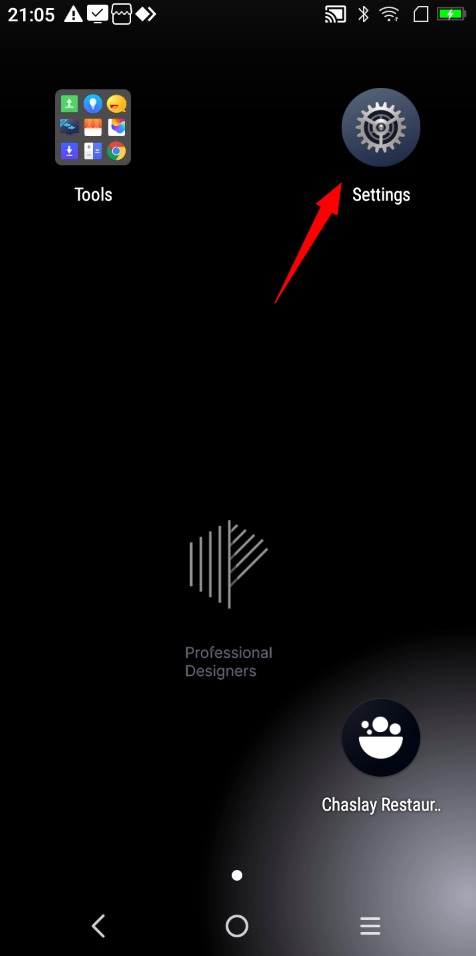
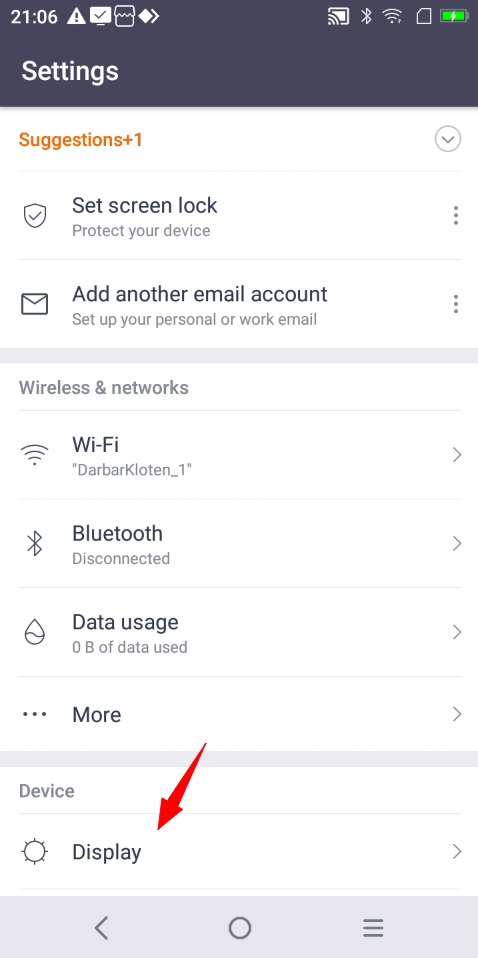
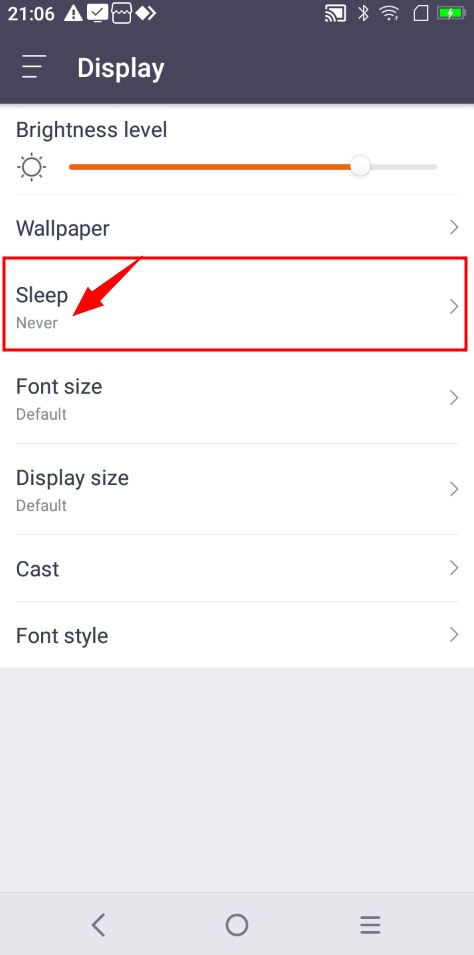
1. To prevent your printer from entering sleep mode, follow these steps:
#
Go to the printer settings.
Select “Display” from the menu.
Choose “Sleep.”
Set the sleep mode option to “Never.”
2. Restart the printer.
#
3. Open Chaslay App.
#
Go to the “Account” section.
Click “Sign Out.”
4 . Sign in again to the Chaslay app.
#
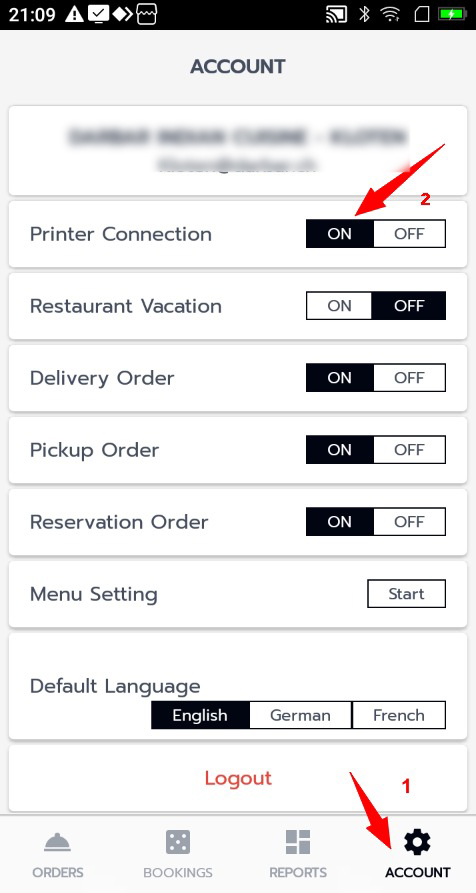
5 . Testing Printer Connection.
#
Go to the
Account
section.
Click on
Printer Connection
and toggle it
ON
.
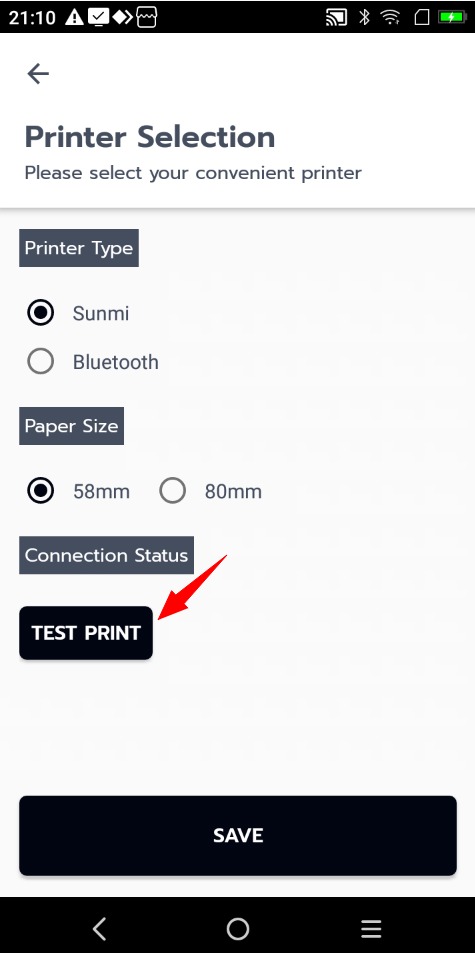
A window will open; click on
TEST PRINT
.
The printer will print a test page.
6 . Save settings
#
Still stuck? How can we help?
How can we help?
Name:
*
Email:
*
Message:
*
Difference between Restaurant and Grocery Module ?
Difference between Dine-in and Pickup Module ?