How to Access and Modify Order Settings: #
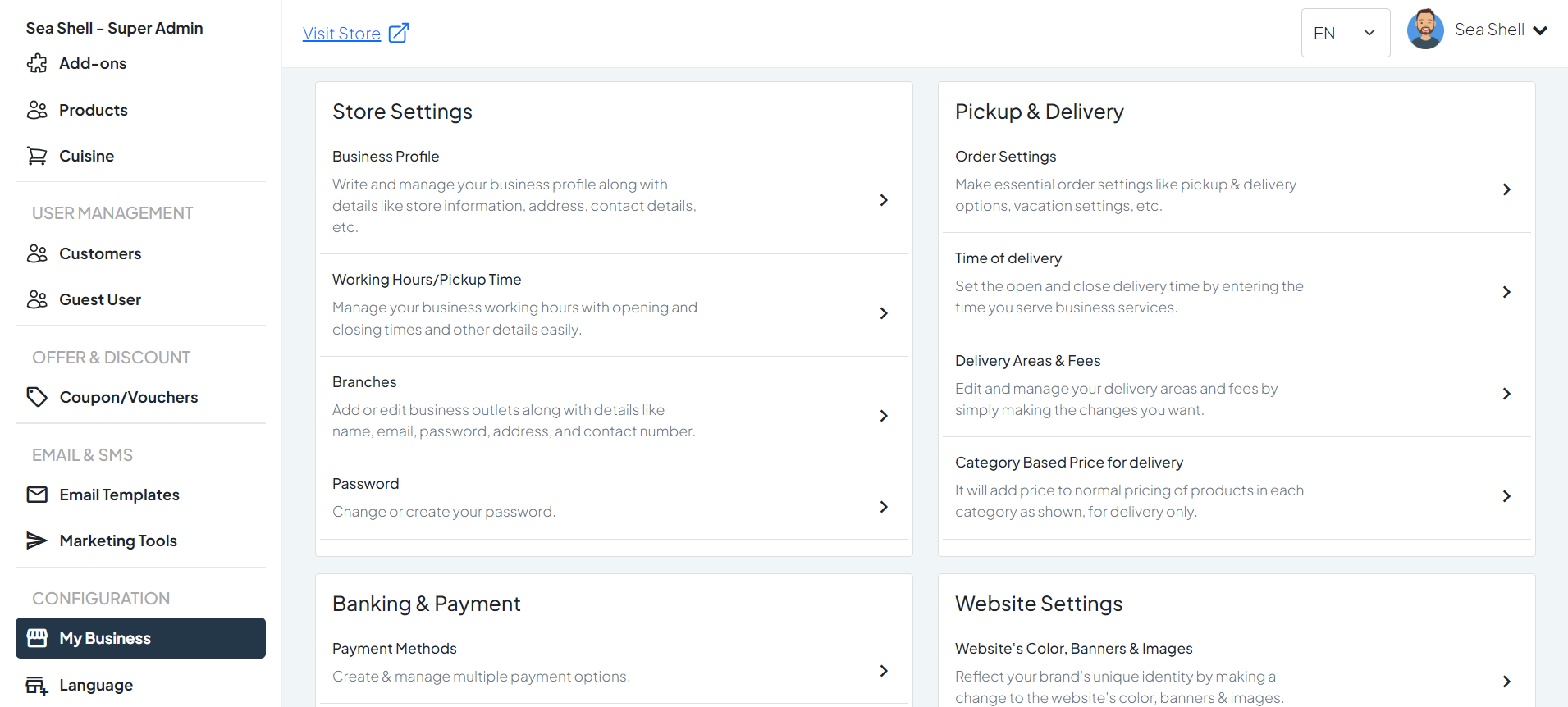
- Click on My Business under the Configuration section. This will directly take you to the My Business page.
- On the My Business page, you will see various options under Pickup & Delivery.
- Click on Order settings. This will take you to the page where you can manage and update your business profile.
1
Dashboard >My Business
2
Payment Methods
Configure Pickup & Delivery Settings: #
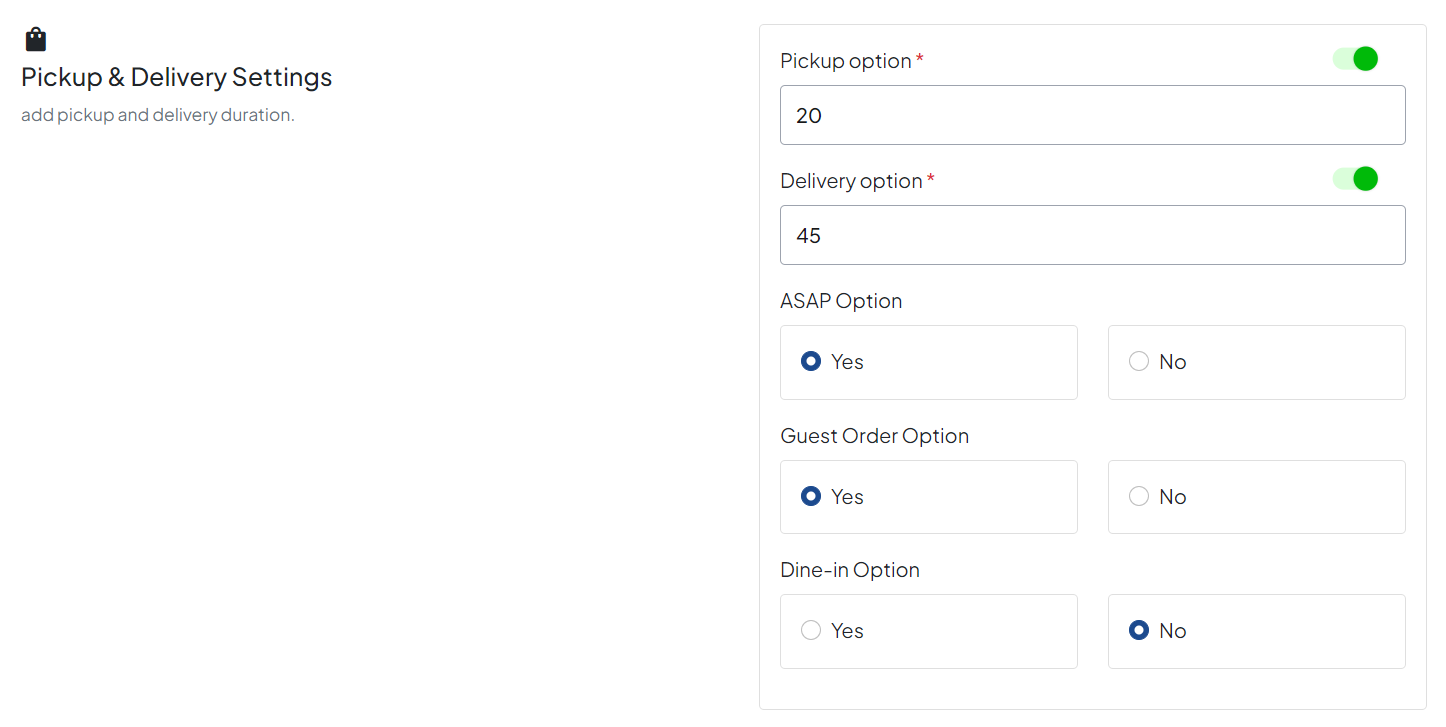
- Pickup Option: Enable or disable the pickup option for customers.
- Delivery Option: Enable or disable the delivery option and set the delivery areas and fees if applicable.
- ASAP Option: Allow customers to choose ASAP delivery for immediate service.
- Guest Order Option: Allow guest users to place orders without creating an account.
- Dine-in Option: Enable dine-in ordering if your business supports in-restaurant dining.
Configure Table QR Settings: #
- View Menu Only: Configure QR codes that allow customers to view the menu only.
- Menu & Ordering: Set up QR codes that enable customers to view the menu and place orders.
- Order & Payment: Configure QR codes that allow customers to view the menu, place orders, and make payments.
Configure Multiple Pickup Location: #
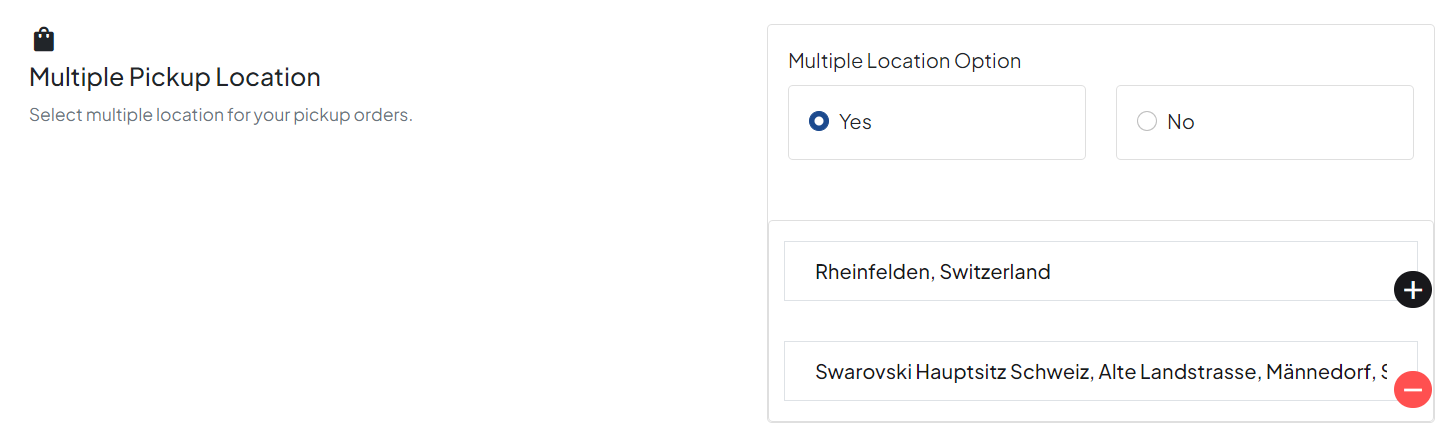
Select and configure multiple locations where customers can pick up their orders.
Configure Vacation Settings: #
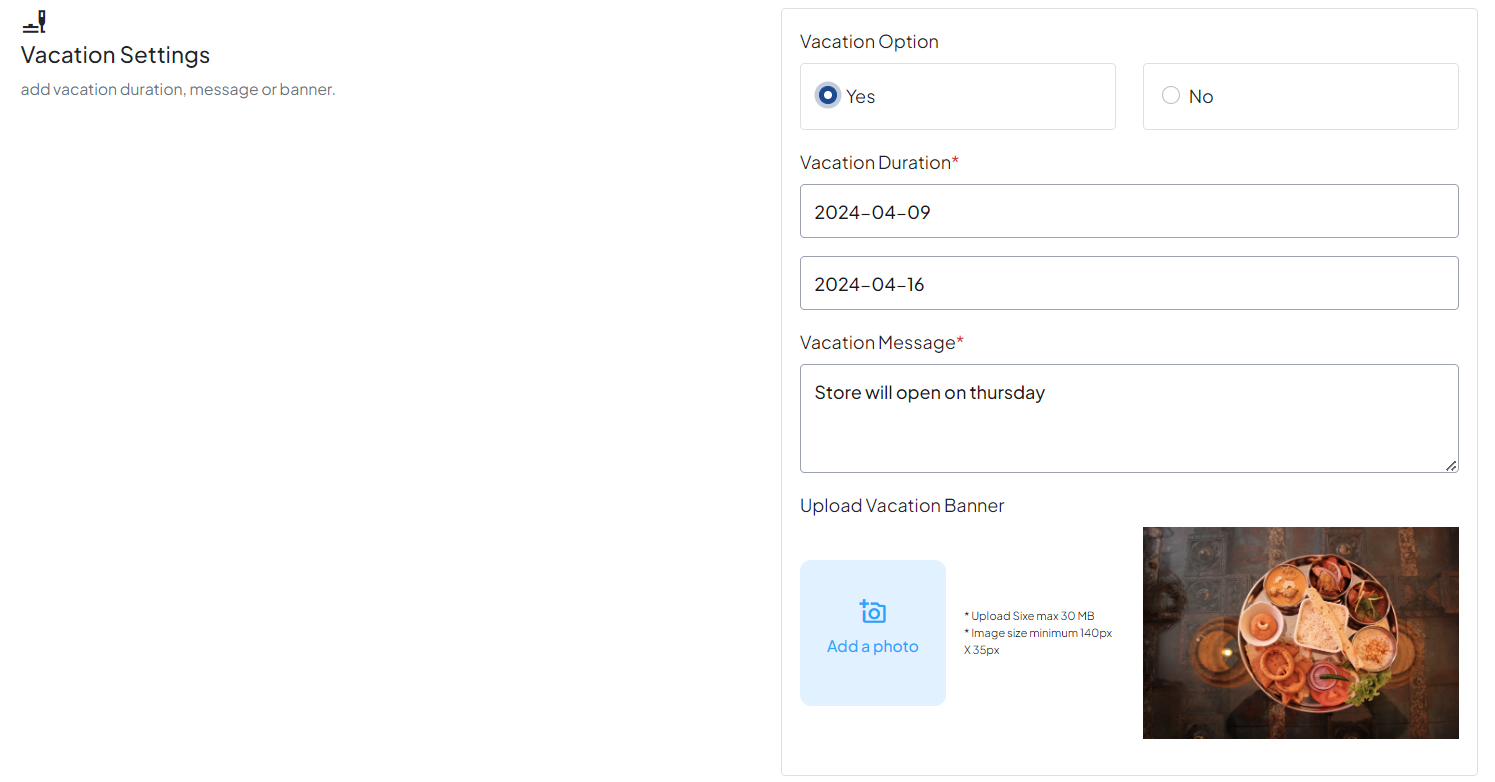
Add a date range during which your store will be closed. You can also include a text message or image to inform customers about the closure.