Skip to content
More about Chaslay
Changelog
More about Chaslay
Changelog
Submit an idea
Submit an idea
More about Chaslay
Changelog
More about Chaslay
Changelog
Home
Docs
Chaslay
Admin Guide
Configuration
Delivery Areas & Fees
Delivery Areas & Fees
How to Access and Modify Delivery Areas & Fees:
#
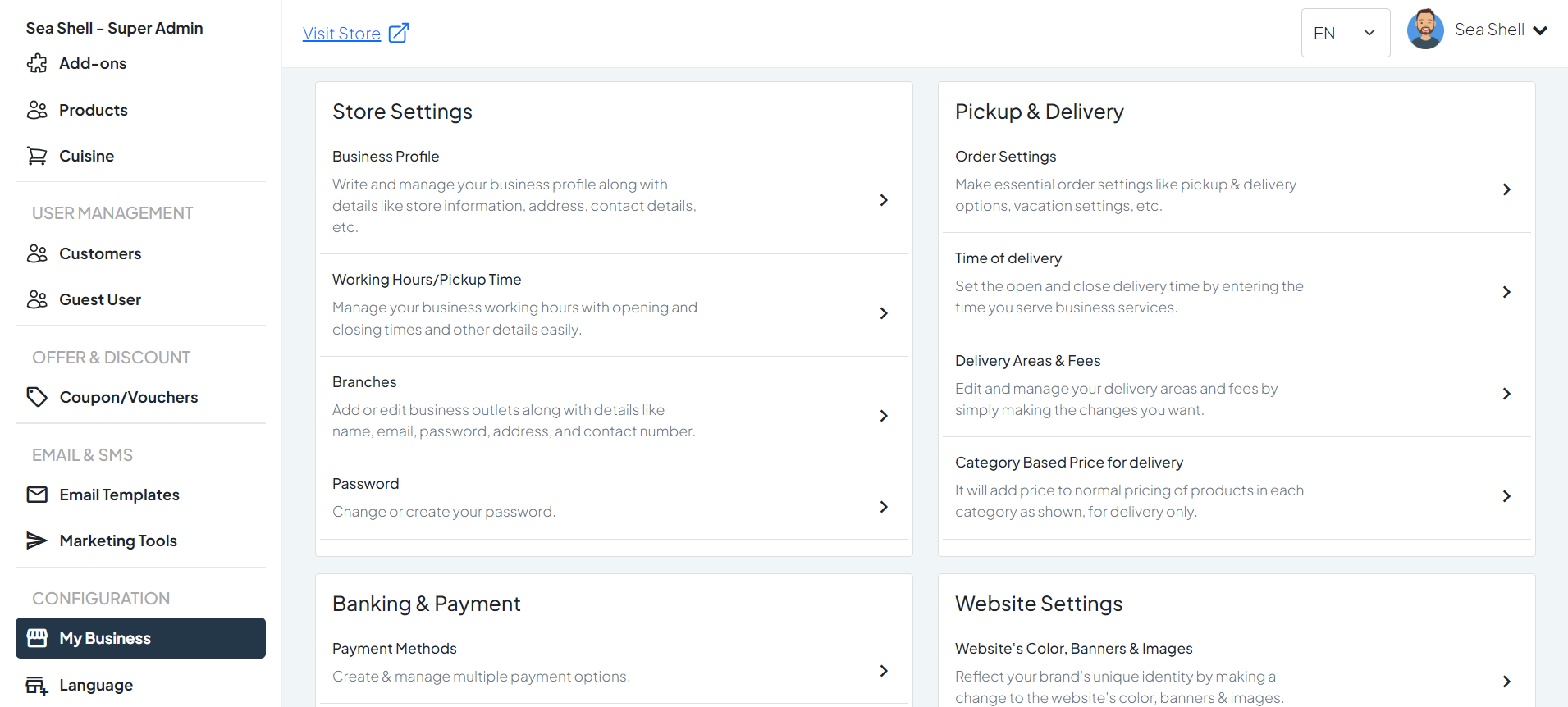
Click on
My Business
under the
Configuration
section. This will directly take you to the
My Business
page.
On the
My Business
page, you will see various options under
Pickup & Delivery
.
Click on
Delivery Areas & Fees
. This will take you to the page where you can manage and update your business profile.
1
My Business
2
Delivery Areas & Fees
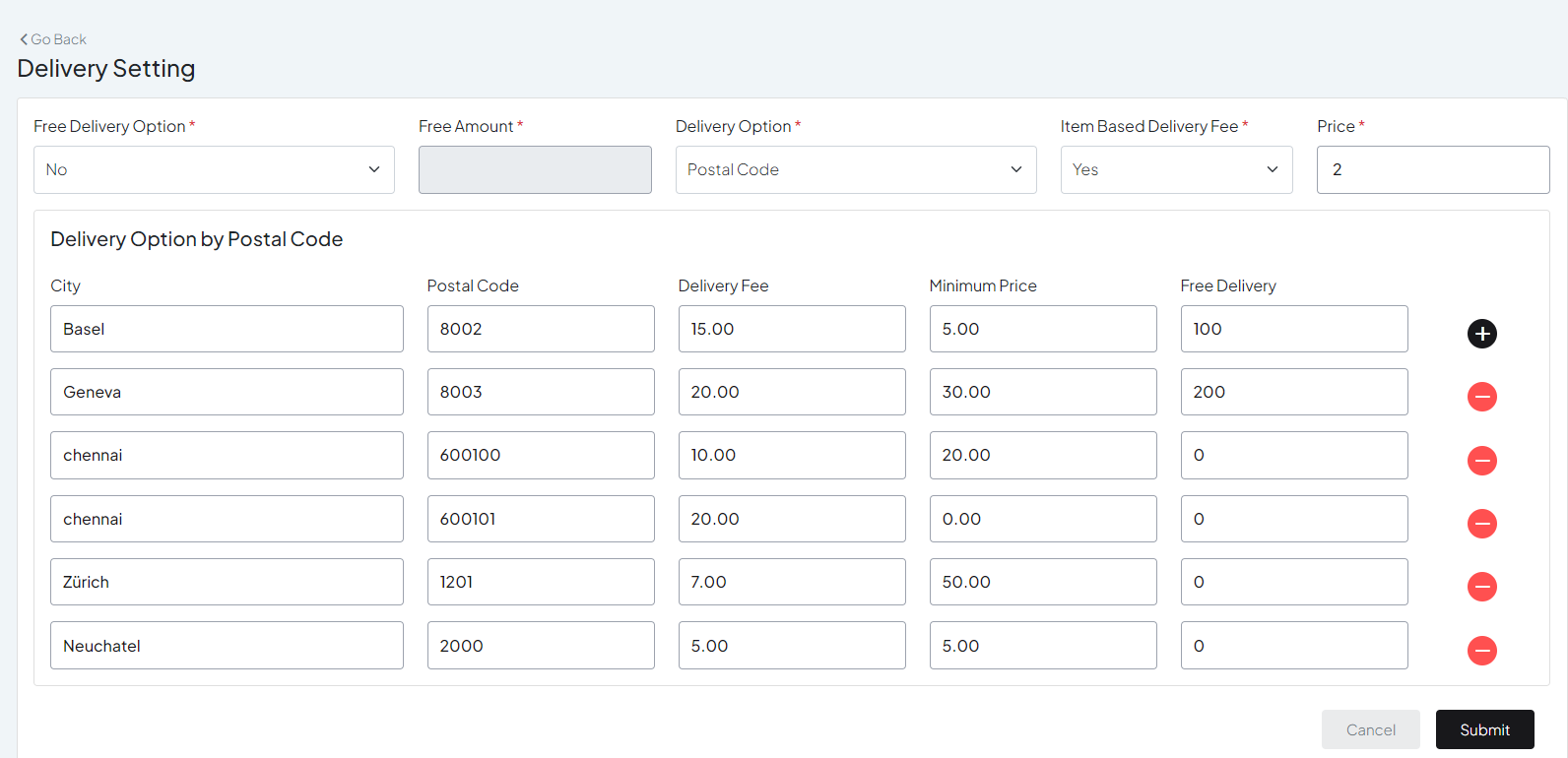
Configure Delivery Option by Postal Code:
#
City
: Enter “Basel”.
Postal Codes
: Enter the postal codes for Basel (e.g., 4001).
Delivery Fee
: Set the delivery fee for this area (e.g., 5 CHF).
Minimum Price
: Set the minimum order price required for delivery (e.g., 20 CHF).
Free Delivery
: If you offer free delivery above a certain order amount, enter the threshold amount (e.g., free delivery for orders over 50 CHF).
1
Postal Code
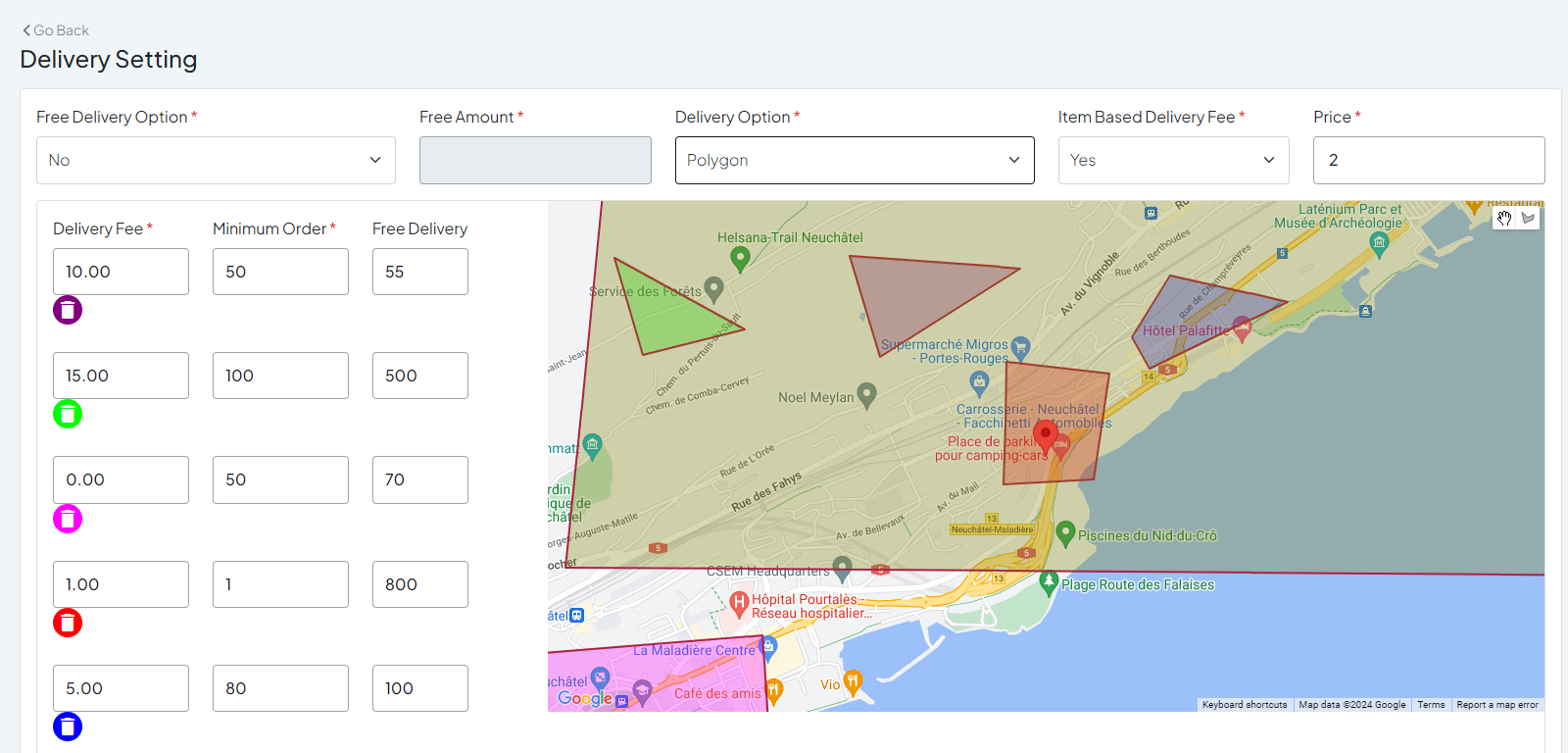
Configure Delivery Option by Polygon:
#
Area Name
: Basel Downtown
Polygon Map
: Use the polygon tool to draw the boundaries of Basel Downtown on the map.
Delivery Fee
: CHF 5
Minimum Order Amount
: CHF 20
Free Delivery
: Free delivery for orders over CHF 50
2
Polygon
Still stuck? How can we help?
How can we help?
Name:
*
Email:
*
Message:
*
Time of delivery
Category Based Price for delivery