Online Order

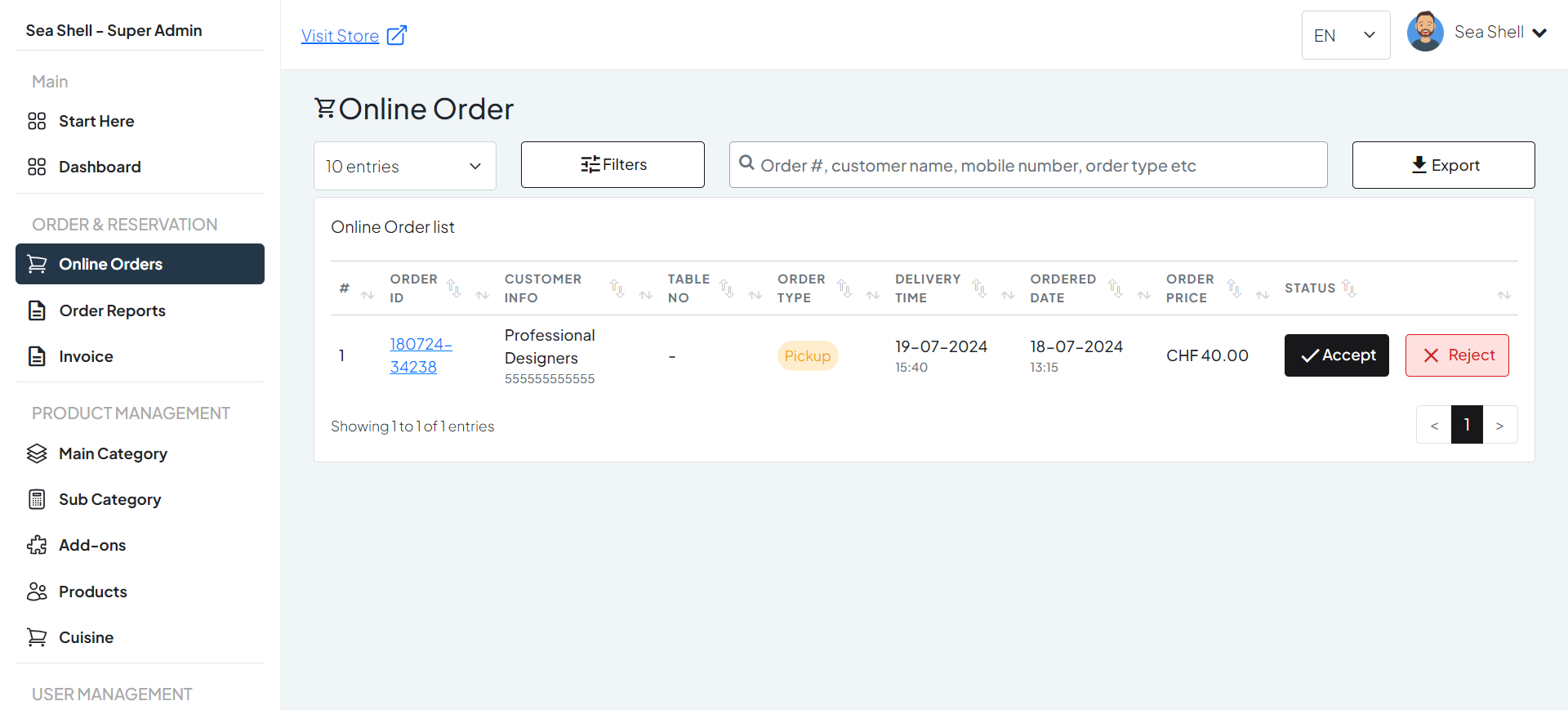
In the Online Orders section of Chaslay, users can expect to see a comprehensive overview of all orders placed through their online platform. Here’s a detailed breakdown of what will be displayed:

Online Orders Section #

1. Order List: #

  • Order ID: Unique identifier for each order.
  • Customer Info: Name of the customer who placed the order.
  • Order Type: Indication of whether the order is for pickup, delivery, or dine-in.
  • Order Date & Time: Timestamp of when the order was placed.
  • Delivery/Pickup Time: Scheduled time for delivery or pickup, if applicable.
  • Order Status: Current status of the order (e.g., Pending, Confirmed, In Progress, Completed, Cancelled).

2. Filters and Search: #

  • Date Range Filter: Filter orders by specific date ranges.
  • Status Filter: View orders based on their status (e.g., only pending or completed orders).
  • Search Bar: Search for orders using keywords such as order ID, customer name, or contact details.

3. Export Options: #

Export Data: Export order data to Excel or CSV format for further analysis and record-keeping.

1

New Order Status

2
Filters and Search
3

Export Order to Excel