Skip to content
More about Chaslay
Changelog
More about Chaslay
Changelog
Submit an idea
Submit an idea
More about Chaslay
Changelog
More about Chaslay
Changelog
Home
Docs
Chaslay
Admin Guide
Offer & Discount
How to create Coupon ?
How to create Coupon ?
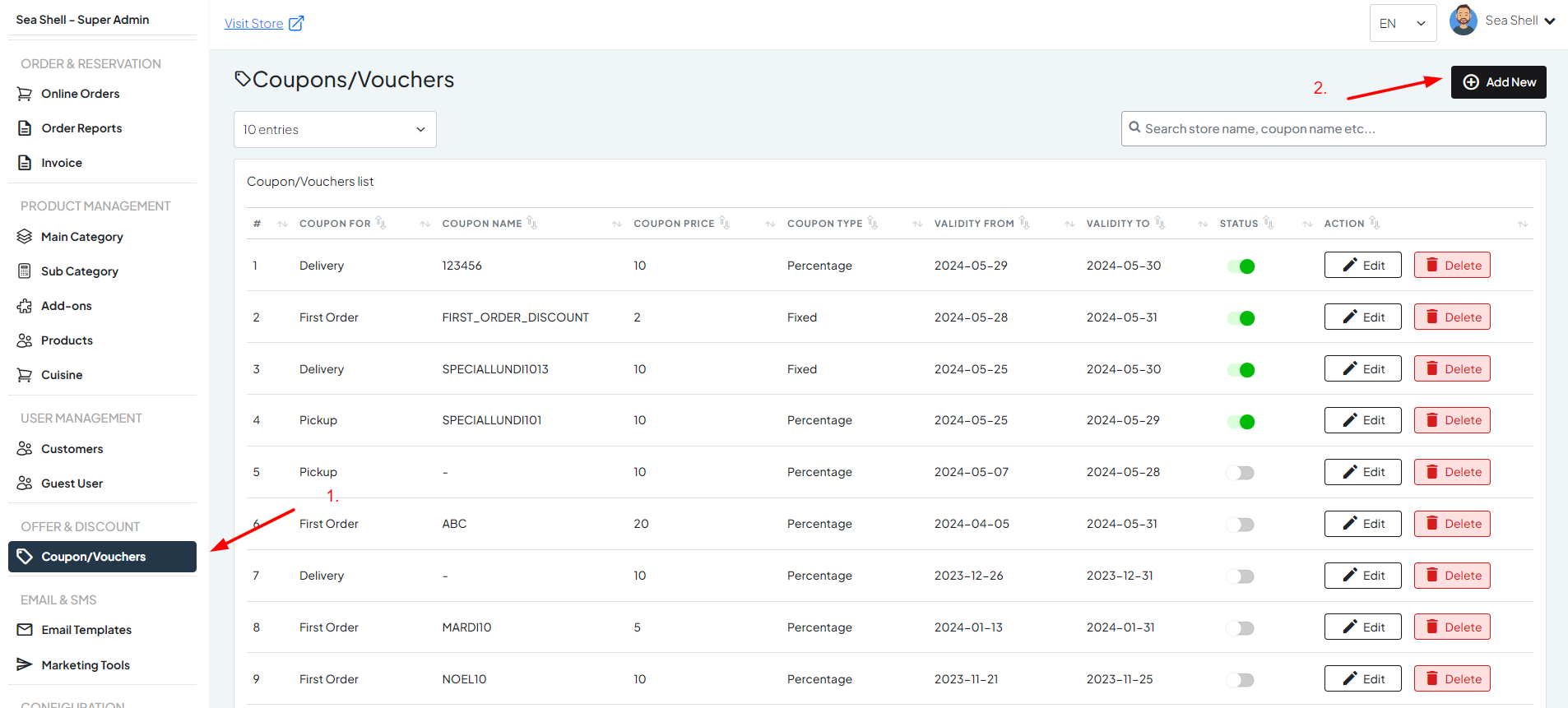
1: Navigate to Coupons/Vouchers
#
Select the ‘Offers & Discounts’ section.
Click on ‘Coupons/Vouchers.’
In the Coupons/Vouchers section, click the ‘Add New’ button to create a new coupon.
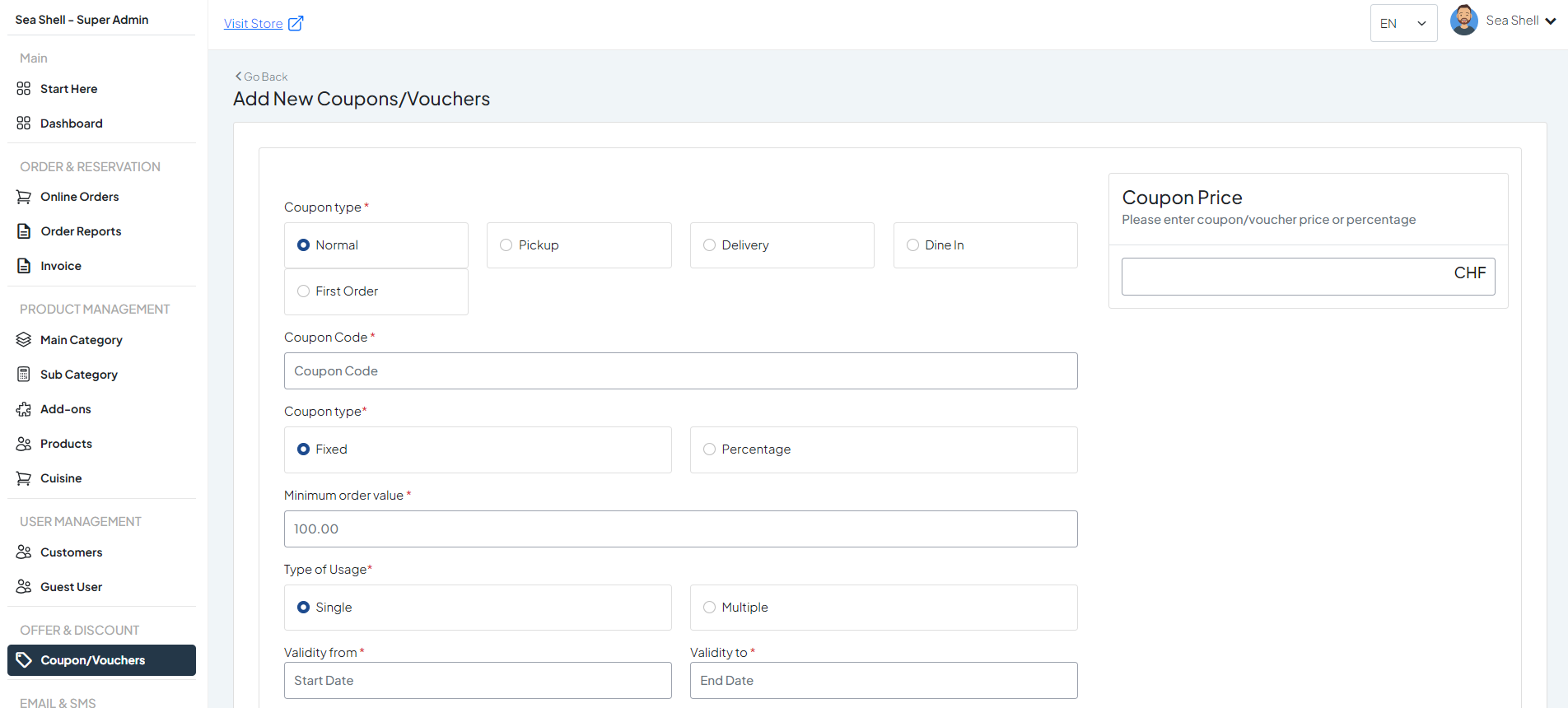
2: Create a New Coupon
#
Coupon Type
: Select from options such as Normal, Pickup, Delivery, Dine In, First Order.
Coupon Code
: Enter a unique code for the coupon.
Coupon Type
: Choose between fixed amount or percentage discount.
Minimum Order Value
: Specify the minimum order amount required to use the coupon.
Type of Usage
: Define whether the coupon can be used once (single) or multiple times.
Validity Period
: Set the start and end dates during which the coupon is valid.
Still stuck? How can we help?
How can we help?
Name:
*
Email:
*
Message:
*
How to create Coupon ?
How to create Coupon ?