Banking & Payment

How to Access and Modify Banking & Payment Settings: #

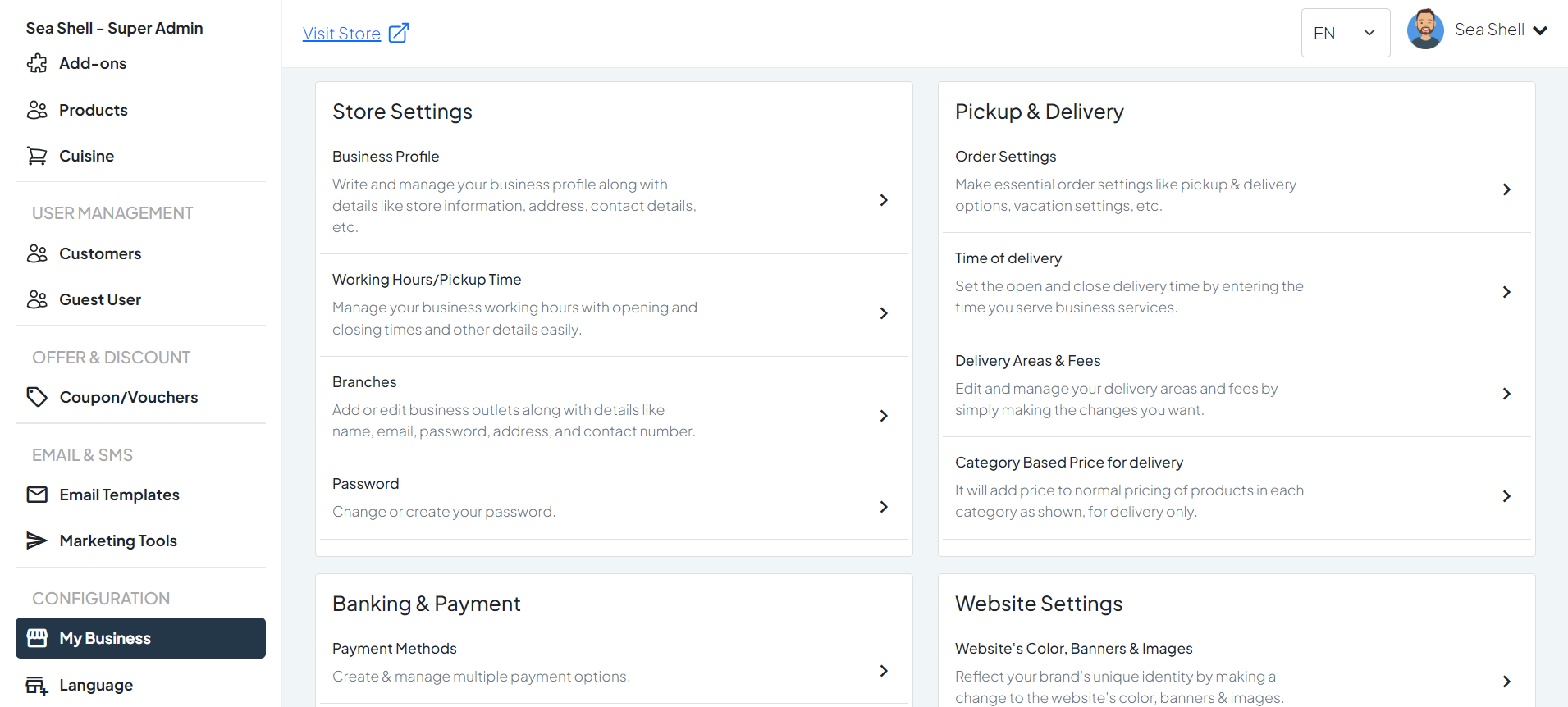
  • Click on My Business under the Configuration section. This will directly take you to the My Business page.
  • On the My Business page, you will see various options under Banking & Payment.
  • Click on Payment Methods. This will take you to the page where you can manage and update your business profile.
1

Dashboard >My Business

2

Payment Methods

Configure Payment Methods: #

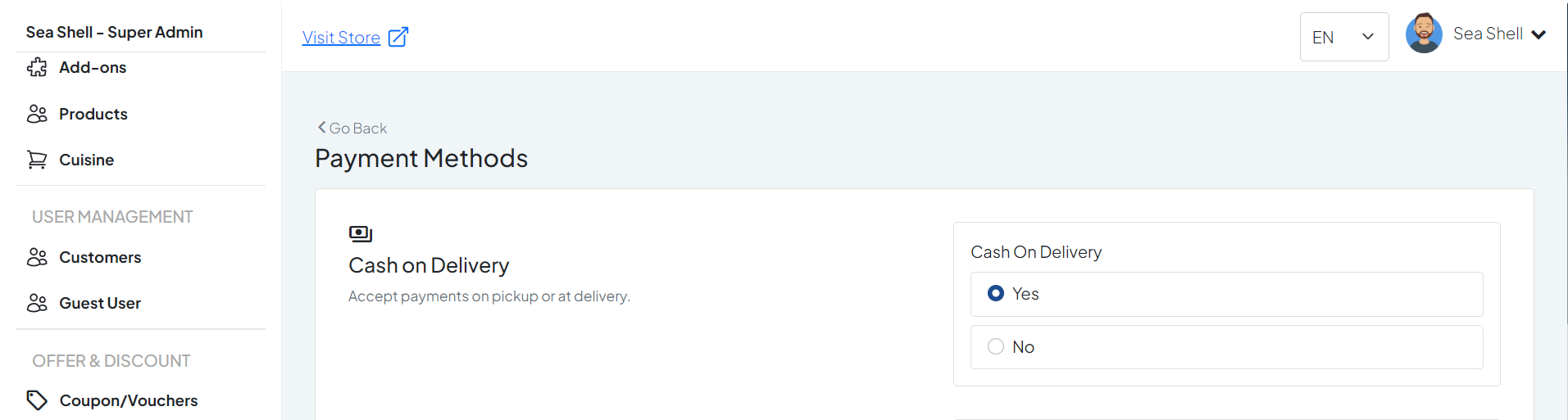
Enable Cash on Delivery #

  • Find the option for ‘Cash on Delivery‘ and toggle it to enable.

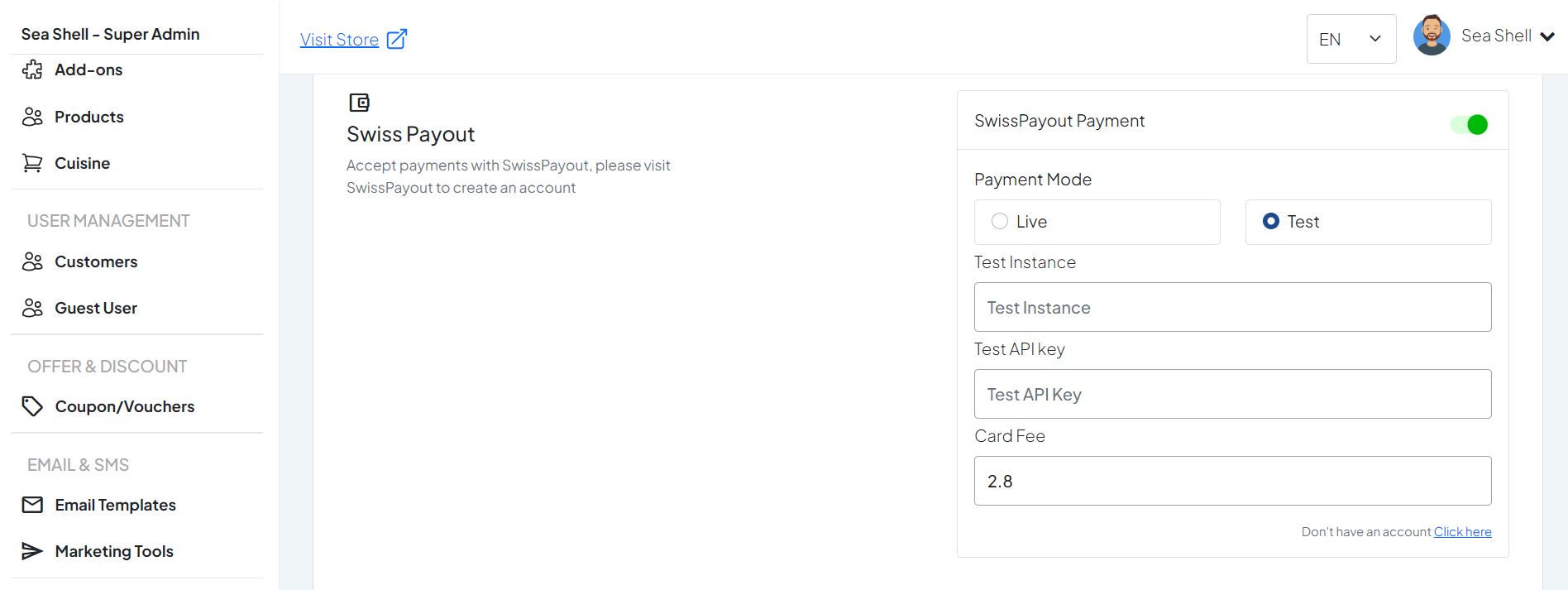
Enable SwissPayout #

Enter the following information:

  • Instance
  • API Key
  • Card Fee

Make sure to obtain these details from your SwissPayout account.

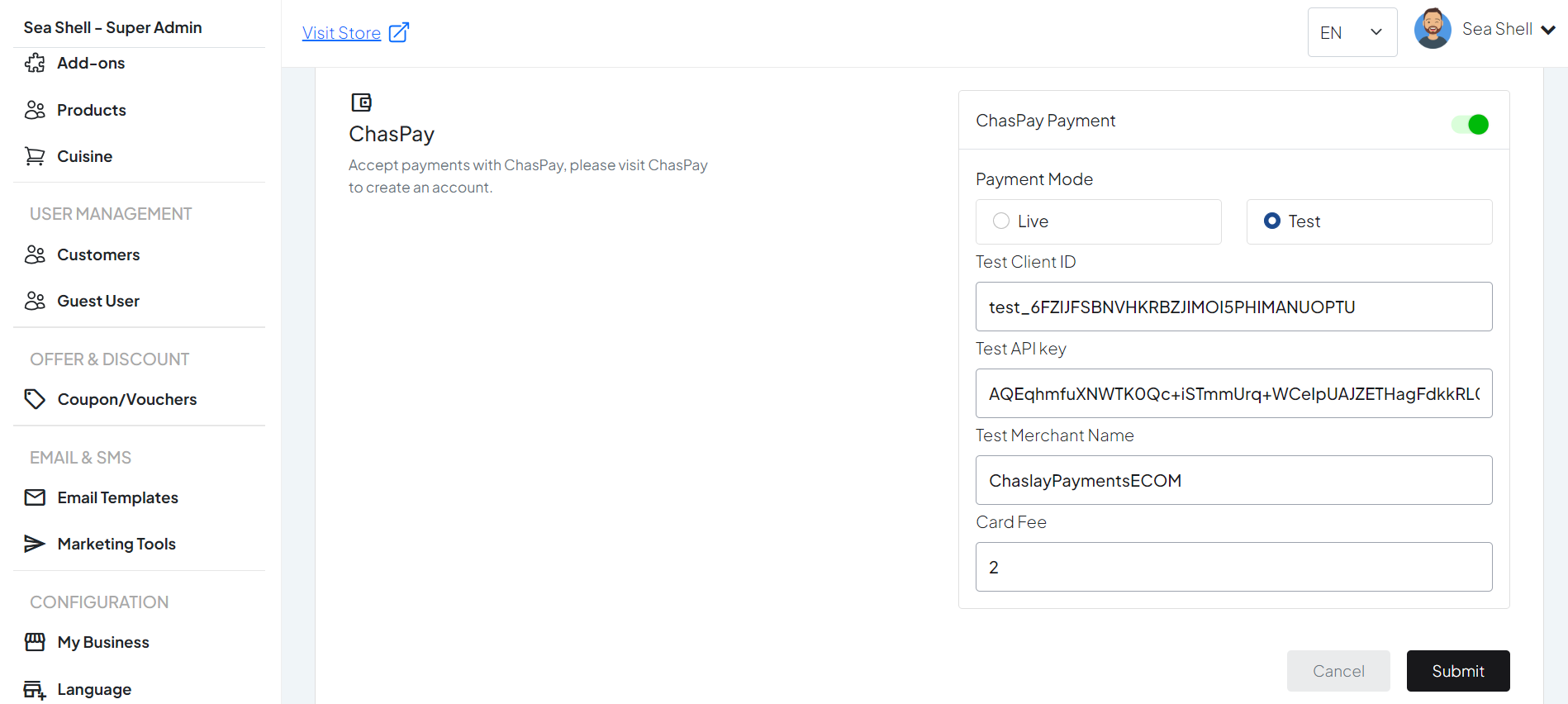
Enable ChasPay #

Enter the following information:

  • Client ID
  • API Key
  • Merchant Name
  • Card Fee

Ensure you have these credentials from your ChasPay account.