Skip to content
More about Chaslay
Changelog
More about Chaslay
Changelog
Submit an idea
Submit an idea
More about Chaslay
Changelog
More about Chaslay
Changelog
Home
Docs
Chaslay
Admin Guide
Configuration
Change or create your password
Change or create your password
How to Access and Modify Password Settings:
#
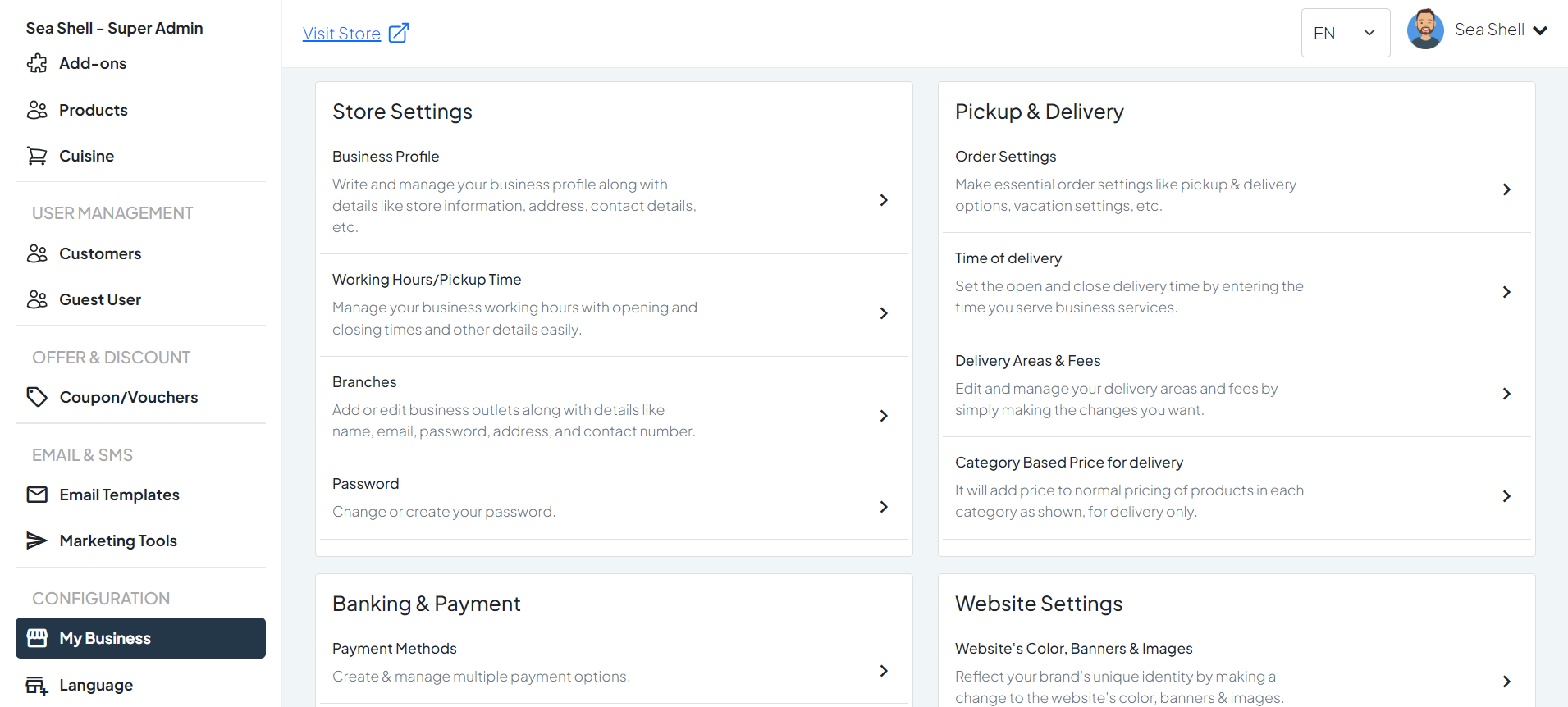
Click on
My Business
under the
Configuration
section. This will directly take you to the
My Business
page.
On the
My Business
page, you will see various options under
Store Settings
.
Click on
Password
. This will take you to the page where you can manage and update your business profile.
1
Dashboard >My Business
2
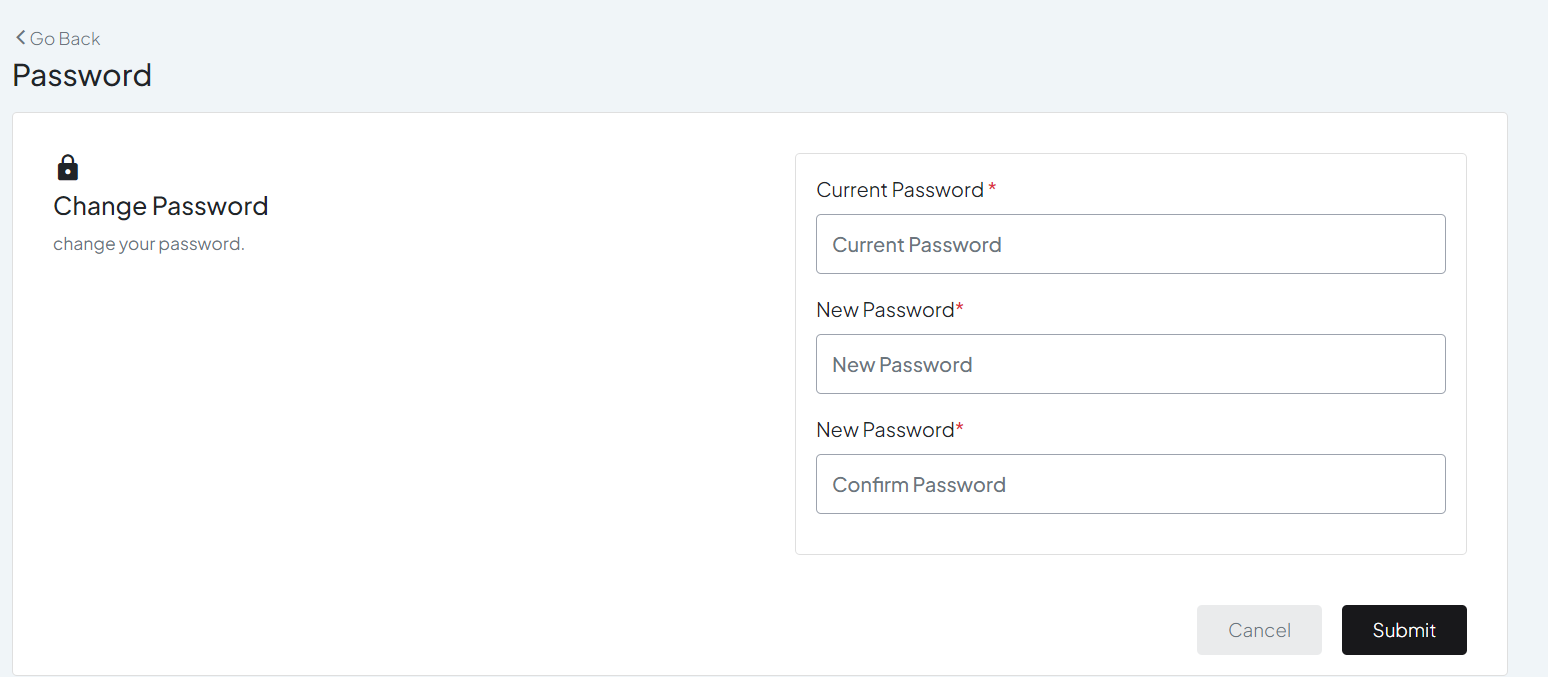
Change Password
Setup Your Password:
#
Enter your
current password
in the designated field to confirm your identity.
Type in your new password in the ‘
New Password
‘ field.
In the
‘Confirm Password’
field, re-enter the new password exactly as you typed it in the ‘
New Password
’ field.
Still stuck? How can we help?
How can we help?
Name:
*
Email:
*
Message:
*
Working Hours/Pickup Time
Banking & Payment