Skip to content
More about Chaslay
Changelog
More about Chaslay
Changelog
Submit an idea
Submit an idea
More about Chaslay
Changelog
More about Chaslay
Changelog
Home
Docs
Chaslay
Admin Guide
Configuration
Time of delivery
Time of delivery
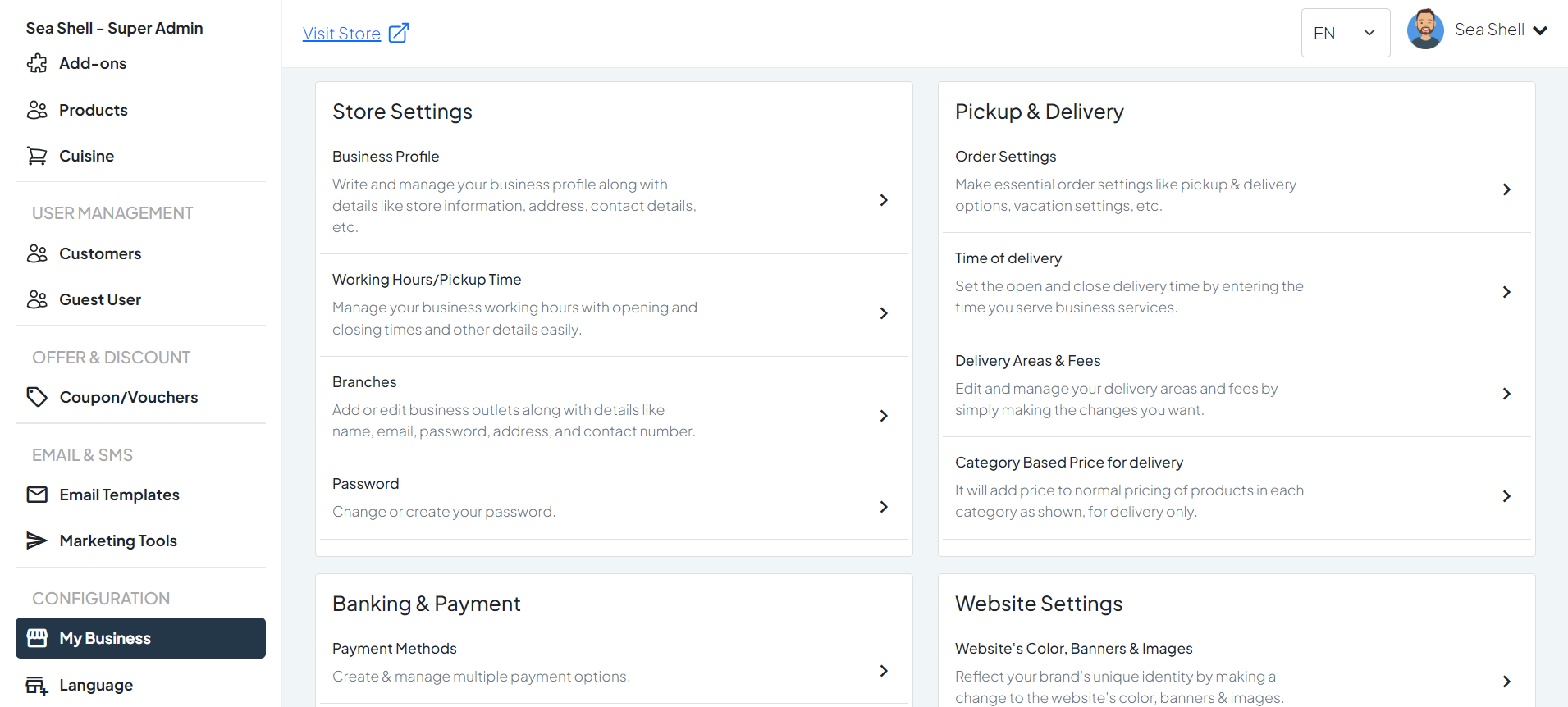
How to Access and Modify Delivery Open/Close Time:
#
Click on
My Business
under the
Configuration
section. This will directly take you to the
My Business
page.
On the
My Business
page, you will see various options under
Pickup & Delivery
.
Click on
Time of Delivery
. This will take you to the page where you can manage and update your business profile.
1
Dashboard > Pickup & Delivery
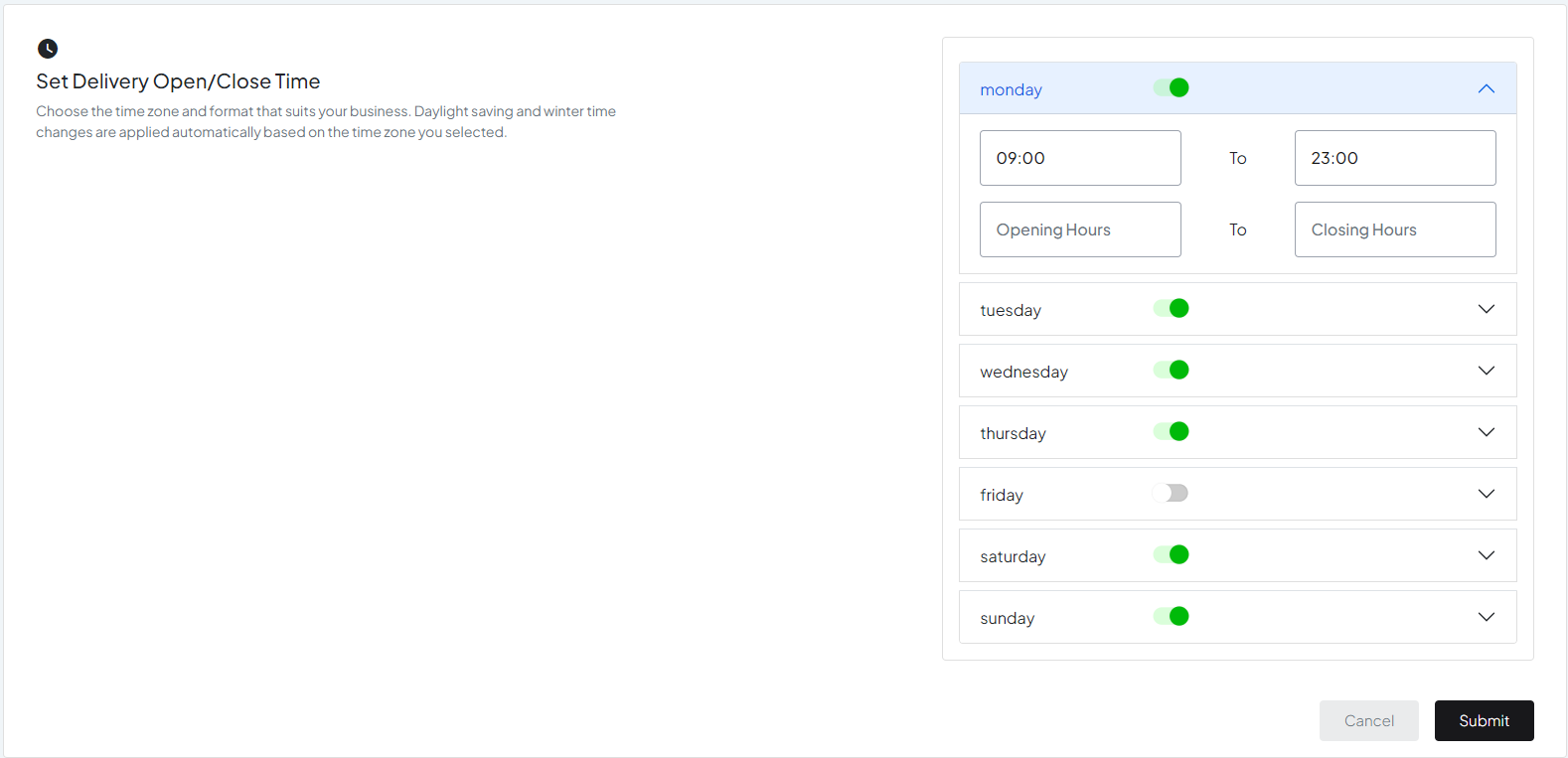
2
Pickup & Delivery > Time of Delivery
Configure Delivery Timings:
#
Define the time slots during which deliveries can be made. This can include specific start and end times for each delivery slot.
Example: Set delivery slots from 9:00 AM to 12:00 PM, 12:00 PM to 3:00 PM, etc.
Set Delivery Days:
#
Specify which days of the week deliveries are available. You can enable or disable delivery for specific days.
Example: Enable deliveries from Monday to Saturday and disable on Sundays.
Still stuck? How can we help?
How can we help?
Name:
*
Email:
*
Message:
*
Order Settings
Delivery Areas & Fees