How to Locate Meta Information ? #
1. Navigate to the 'My Business' Section: #
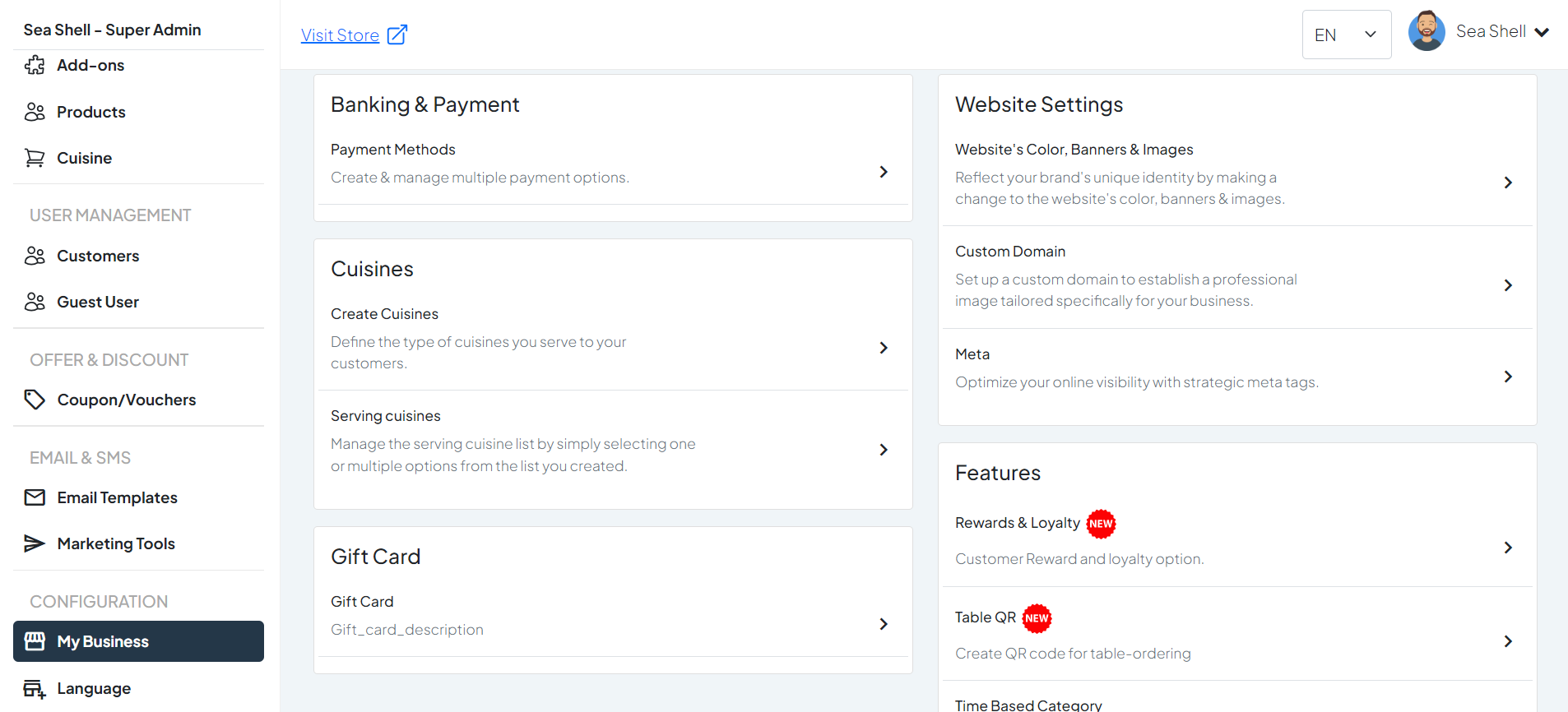
Go to the ‘My Business’ section in the main menu.
2. Navigate to the 'Website Settings' Section: #
Within the ‘Website Settings’ section, locate and click on ‘Meta’.
1
My Business
2
Website Settings
3
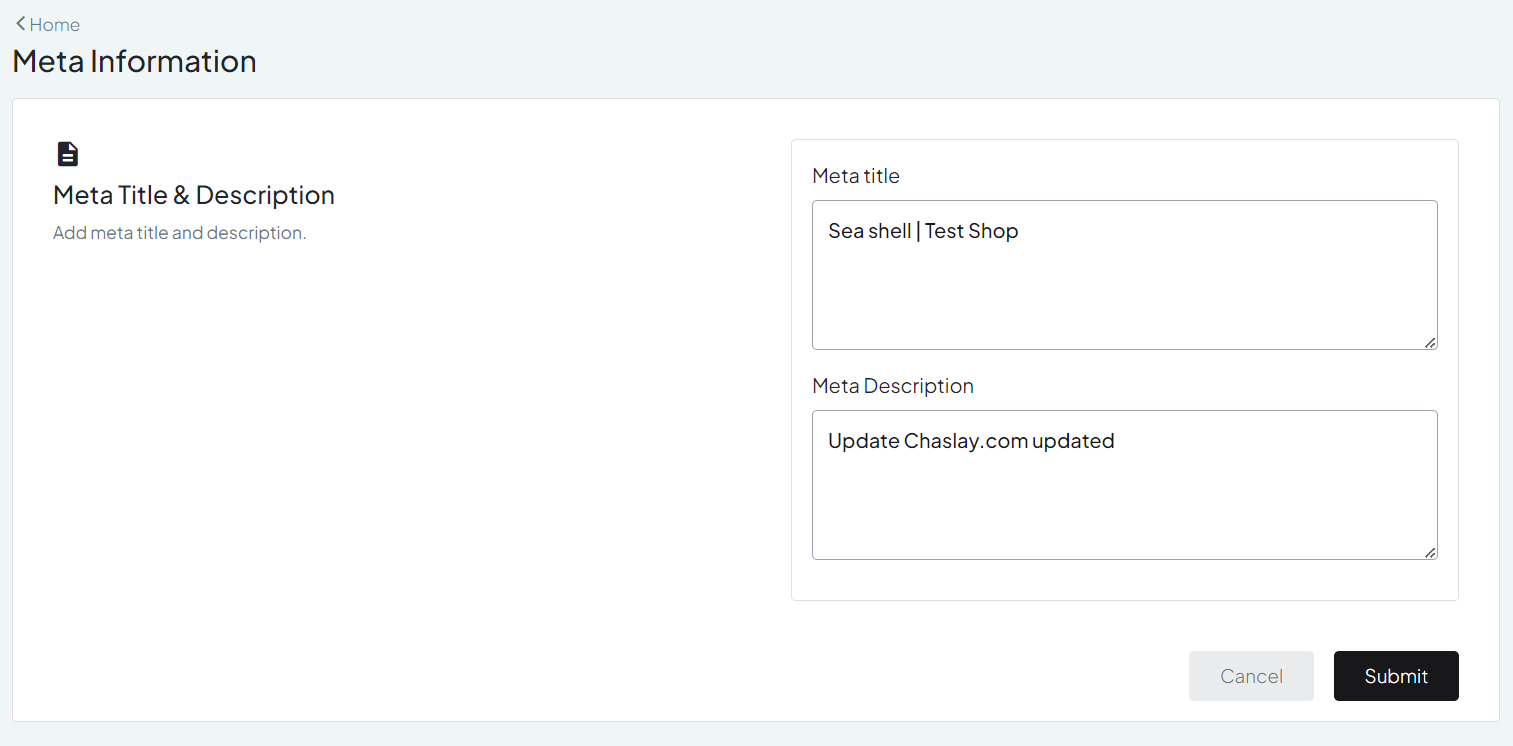
Meta Information
Steps to Configure Meta Information: #
1. Edit Meta Title: #
- Find the field labeled ‘Meta Title’.
- Enter the desired meta title for your website. This title appears in search engine results and should be concise and relevant to your business.
2. Edit Meta Description: #
- Find the field labeled ‘Meta Description’.
- Enter the desired meta description for your website. This description appears in search engine results under the meta title and should provide a brief summary of your site’s content and purpose.
1
Meta Title
2
Meta Description